Skip to content
Features Till Pricing Is it for you? Questions Log in
Set up a card

At the counter

One move at the till. Nothing else changes.

You need no new till and no integration with your system. A phone or tablet is enough — and when it has to be quick, it even works with no staff at all.

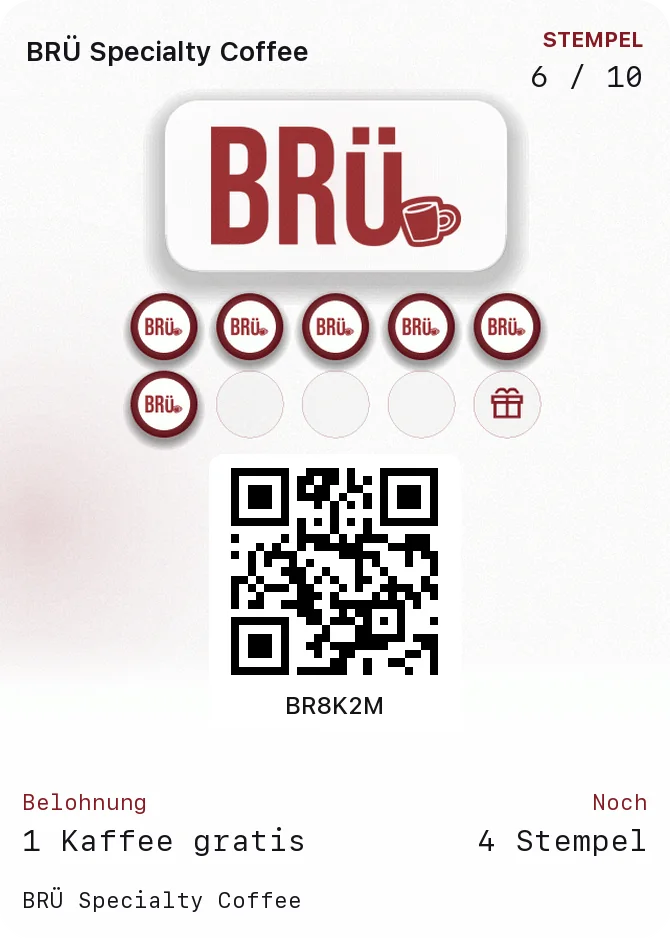
This is what it looks like when the stamp arrives. The guest does nothing, refreshes nothing, opens nothing.
Works in Apple Wallet Google Wallet no app, no account
The guest's camera picks up the QR code on the counter stand
The stamp card in Apple Wallet, between a bank card and a train ticket
The till scans the guest's code and gives the stamp

What you need

A device you already have.

The PocketStamp till is a web page. It runs on the phone in your apron, on the tablet next to the cash register or on the computer in the office. Nothing to install, nothing to maintain.

Connect once

In the admin area you generate a six-character code, type it on the device and you are connected. The device stays connected until you disconnect it — no logging in at the start of a shift.

Several devices, one account

Counter, till and your own phone can all be connected at once. In the admin area you see which device stamped last, and you disconnect one with a single click if it goes missing.

No integration needed

Your existing till stays exactly as it is. We do not touch it, need no interface and no technician. That is why setup takes ten minutes and not ten days.

Scanning takes longer than you think — namely two seconds. Anyone who prefers typing enters the six-character card number and is just as fast.

Two ways

When speed matters, it also works without staff.

Normally your staff scan the card at the till: one movement, two seconds, and the guest notices that they are recognised. For peak hours, self-service or heavy walk-in traffic there is a second option. The stamp is then printed directly on the receipt. Both run in parallel and you decide as the situation requires.

  1. The till prints Every receipt carries a small QR code. Set up once, no further effort afterwards. Anyone who prefers to scan themselves simply leaves it there.
  2. The guest scans the code With the same camera they use for photos. No download, no app, no account.
  3. The stamp is added Anyone who does not have a card yet receives one at the same moment. Every receipt becomes an invitation.

Setting it up consists of one line. It goes into the footer of your till. Ten minutes, without a technician and without software. Anyone without their phone has the card scanned as usual; the receipt replaces nothing.

At the ordering terminal too. Anyone ordering at a kiosk or by QR code at the table sees the code directly on the confirmation screen, entirely without paper.

CAFE ELVA 2× Cappuccino9.00 1× Gipfeli3.50 Total12.50
Scan the code, get the stamp

When it grows

Staff, branches and the stand on the counter.

As long as you stand behind the counter alone, you need none of this. As soon as someone works for you or a second location comes along, it is exactly what is missing.

  • A PIN per member of staff Every reward given out carries a name. Not for surveillance, but so that you can see who actually offers the card — that is the difference between a programme that runs and one that sits in a drawer.
  • Up to ten locations, depending on the plan The card is valid in every branch, the reporting keeps them apart. You see which location hands out cards and which only redeems them — a number nobody ever gets to see without that split.
  • The stand, ready to print The admin area holds a finished stand with your QR code in three formats. Printed on A5, put in a holder, done. It is the only piece of paper left.
  • A lockout against double stamps Between two stamps on the same card there is a lockout period you set yourself. It stops a card going through twice in the queue — without anyone having to pay attention.

Put the code on your counter.

Set up the first card free of charge and see who comes twice this month instead of once.